← Guides
How to top up NX
NX is WapleStory’s cash-shop balance. Add it from the Cash Shop using the wallet you use to sign in to MapleVerse.
Add NX in a few steps
- Sign in at Play with your MapleVerse wallet.
- Open the game, then open the Cash Shop.
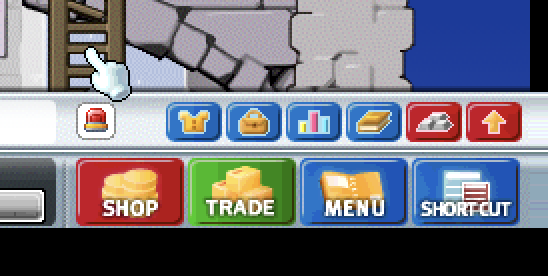
1. Select Shop. - Choose Charge to open the top-up window.
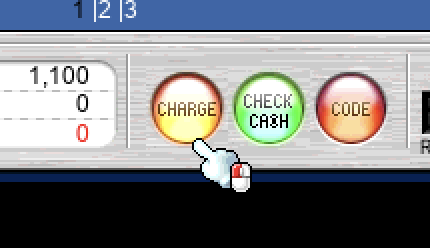
2. Select Charge. - Keep the same wallet selected. The top-up window verifies it against your MapleVerse login, so do not switch accounts halfway through.
- Choose an amount in USDG. The quick buttons are 1, 5, and 20 USDG, or enter your own amount. The current rate and the NX you will receive are shown before you pay.
- Confirm that your wallet is on Robinhood Chain. Copy the wallet shown in the top-up window and send ETH or USDG to it from the same wallet you use to sign in. Then choose Get … NX and approve the payment.
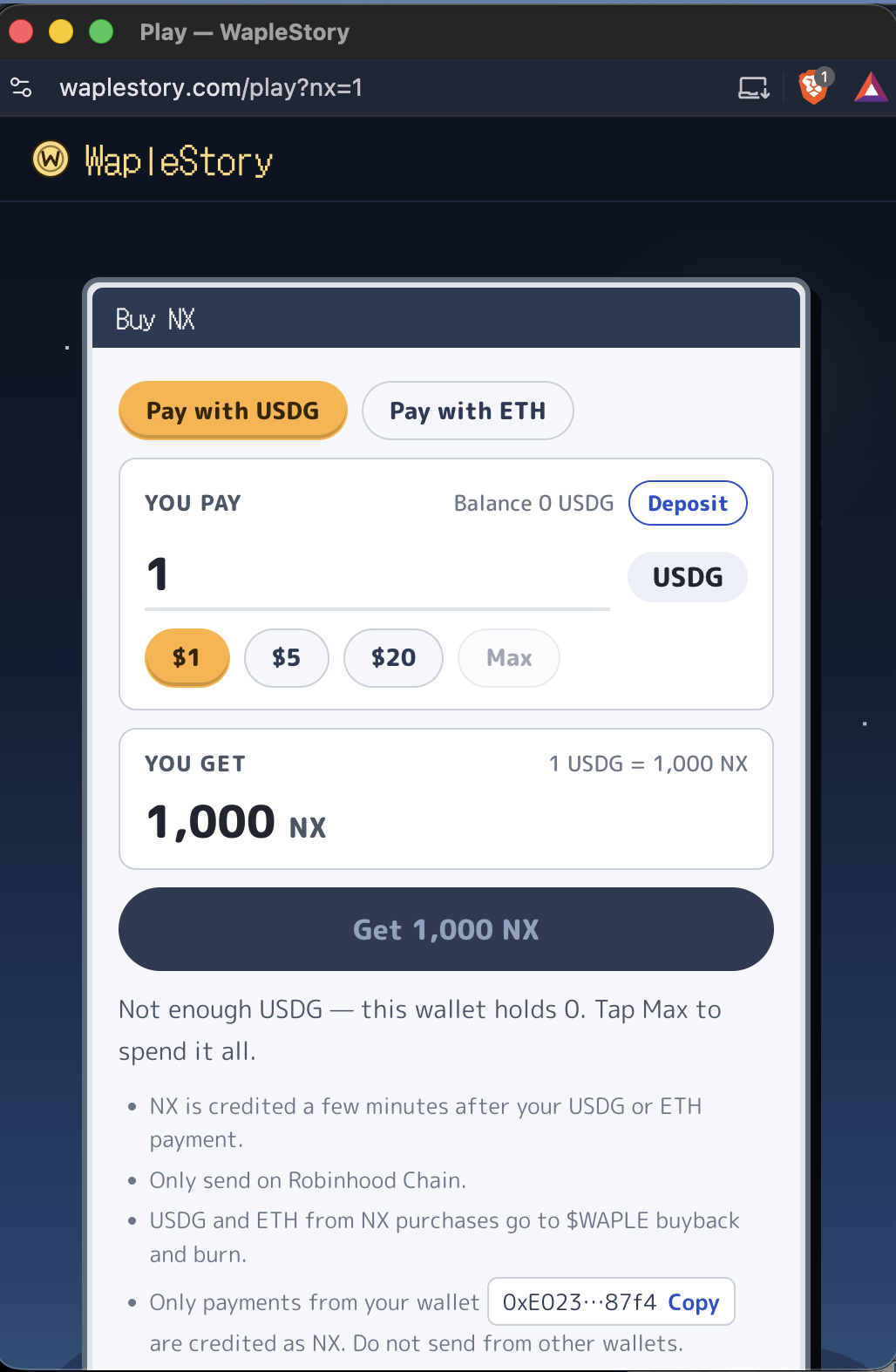
3. Top up with ETH or USDG. Only send on Robinhood Chain, and use the wallet connected to your MapleVerse account. - Wait for the payment to settle. Your NX normally appears in about two minutes; return to the game and reopen the Cash Shop if the balance has not refreshed.
Before you pay
- USDG must be in the same wallet used to sign in. The window shows that wallet’s balance and will stop you if the amount is too large.
- You need a little ETH on Robinhood Chain for the USDG transfer’s network fee.
- ETH payment may appear as an alternative when it is enabled for the live configuration. If it does not appear, use USDG.
Safety check: review the wallet, chain, amount, and NX preview before approving. If the window says tracking is delayed or wallet verification is not ready, do not deposit yet—wait and retry.
What NX is for
NX stays inside MapleVerse. You can use it for Cash Shop items and WapleStory Premium, which costs 10,000 NX for 14 days. Playing pays NX separately; topping up is optional.